

 en
 Русский
The mini app
The Auxio mini app opens from the bot: forms for songs, music, sound effects and text to speech, the gallery of your tracks and your credit balance.
Audio generation in Auxio happens in its mini app. It opens from the main menu of @AuxioBot: press Music & Sound Creation or Text to Speech, then Open in Telegram (inside Telegram) or Open in browser. Each button opens the matching form right away.
Transcription does not need the mini app: send recordings and links straight to the chat, see voice messages to text.
Home
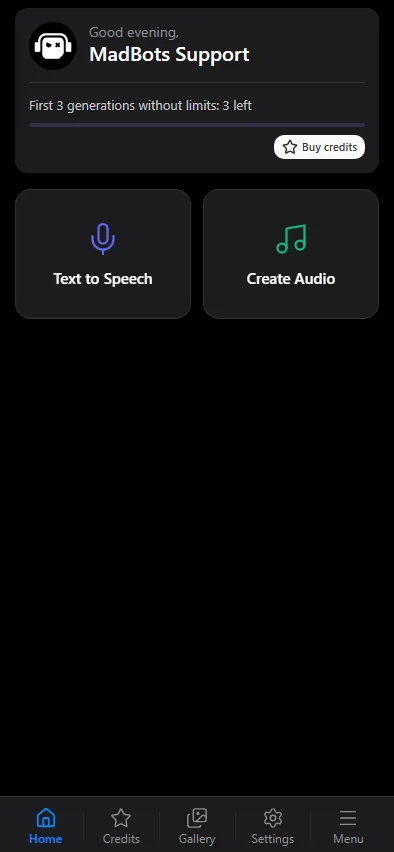
The top card shows your free allowance (the first 3 generations, then the free credits of the week) and a Buy credits button. Below are two tiles:
| Tile | Form |
|---|---|
| Text to Speech | Text to speech: text, language, voice, speed and pitch |
| Create Audio | Songs, music and sound effects: prompt, vocals, lyrics and length |
Every form ends with Start Generation. The finished track is delivered to your chat with the bot, so you can close the mini app while it is being made.
The tabs
- Home: the two forms.
- Credits: the credit packs and the payment methods. See credits and prices.
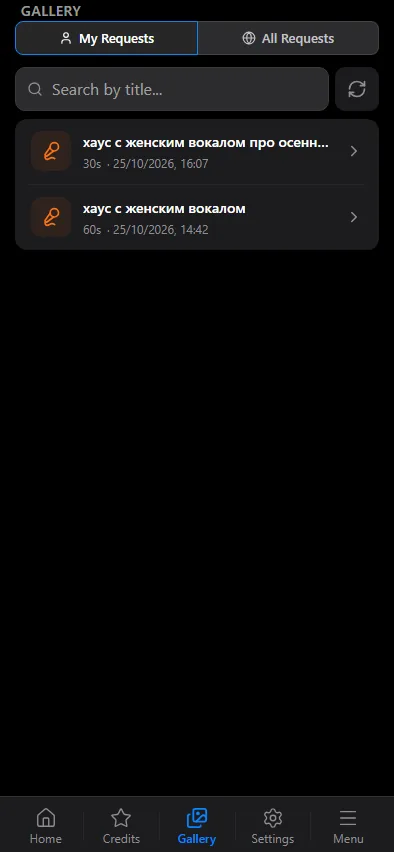
- Gallery: My Requests lists your tracks, including the ones made earlier in Mad AI; All Requests is the shared gallery of tracks made by everyone. Search by title, open a track to play it, read the lyrics of a song and press Send files to bot to get the file in the chat.
- Settings: interface language, time zone, Silent Mode (bot messages without a notification sound) and Dark Theme.
- Menu: the welcome message with instructions, news, our other bots, the partner program and contacts of support.
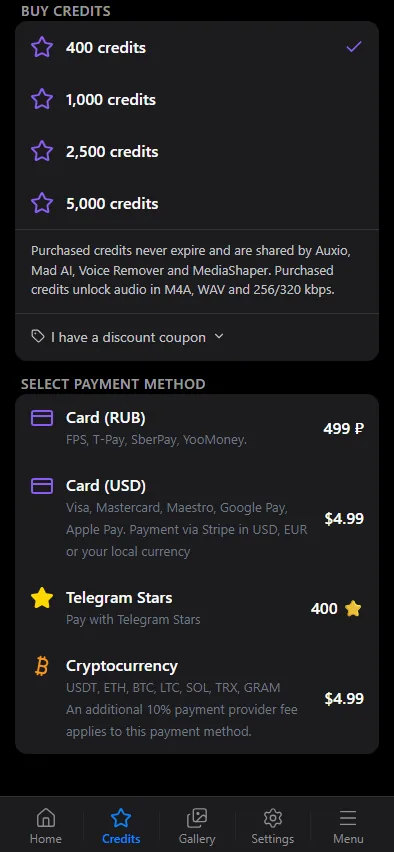
A new account sees only Telegram Stars among the payment methods. Cards, crypto and local methods appear after a first payment, or after about a week of regular use of Auxio.
Language
The interface follows your Telegram language. You can change it in Settings of the mini app or with Change interface language on the main menu of the bot.