

 en
 Русский
Songs, music and sound effects
Make a song with vocals, instrumental music or a sound effect from a text description in @AuxioBot. The first 3 requests are free, then 10 free credits a week.
Press Music & Sound Creation on the main menu of @AuxioBot. The bot shows a short demo and the buttons Open in Telegram, Open in browser and My audio. Either "Open" button opens the mini app on the audio form.
What you can make
At the top of the form, choose Music or Sound effect. For music, the Vocals row decides whether it is a song:
| Choice | What you get | Credits |
|---|---|---|
| Music, No vocals | Instrumental music without a voice | 10 per started 30 seconds |
| Music, Song about… or My lyrics | A song with vocals | 25 per started minute |
| Sound effect | A short effect or ambience | 5 per started 15 seconds |
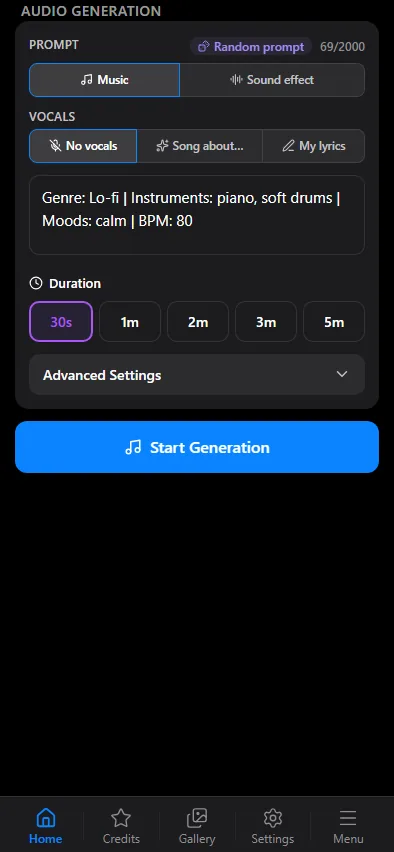
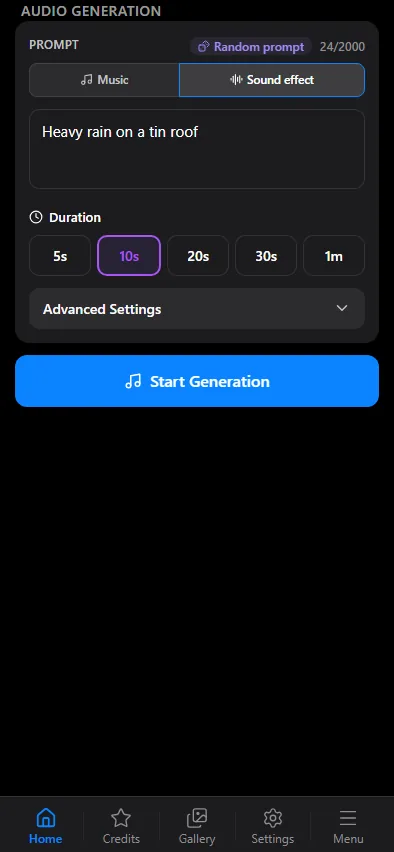
Describe the sound
- Sound effect: "heavy rain on a tin roof", "a door creaking open", "a busy street with traffic".
- Music: genre, mood, instruments and tempo, for example "Genre: Lo-fi | Instruments: piano, soft drums | Moods: calm | BPM: 80".
- Song about…: describe the topic, mood, genre and the voice (male or female). The AI writes the lyrics.
- My lyrics: describe the style in the prompt and paste your lyrics (up to 3000 characters) in the Lyrics field, marked with parts such as
[Verse]and[Chorus].
The prompt is 3 to 2000 characters long; the counter above the field shows how much is left.
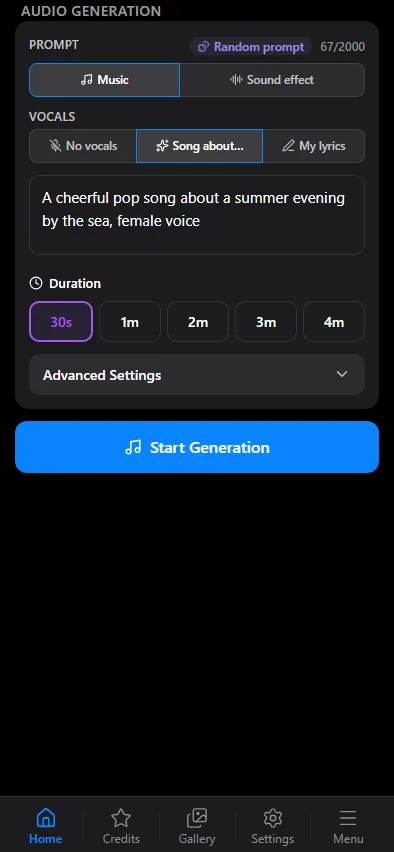

Length, format and start
Pick the Duration:
- Sound effect: 5, 10, 20, 30 seconds or 1 minute.
- Music: 30 seconds, 1, 2, 3 or 5 minutes.
- Song: 30 seconds, 1, 2, 3 or 4 minutes.
The price is shown on each length button once your first free generations are used. Advanced Settings holds the output format and the bitrate: MP3 is always available, M4A, WAV and 256 or 320 kbps once you have purchased credits. The format does not change the price.
Press Start Generation. The track arrives in your chat with the bot as an audio message, with your prompt in the caption, and is kept under My audio and in the mini app gallery.
Prices by length
| Length | Sound effect | Music | Song |
|---|---|---|---|
| 5 sec | 5 | ||
| 10 sec | 5 | ||
| 20 sec | 10 | ||
| 30 sec | 10 | 10 | 25 |
| 1 min | 20 | 20 | 25 |
| 2 min | 40 | 50 | |
| 3 min | 60 | 75 | |
| 4 min | 100 | ||
| 5 min | 100 |
Credits are charged per started step, so a 20-second effect costs two 15-second steps. Empty cells are lengths the form does not offer for that type. The first 3 generations are free at any length; after that the 10 free credits of the week are spent first, then purchased credits. If generation fails, the credits are returned. See credits and prices.
What makes it
Sound effects are made with Stable Audio 3 Small SFX, instrumental music with Stable Audio 3 Medium and songs with ACE-Step 1.5.
Questions
Can I make a song from my own lyrics?
Yes. Choose Music, then My lyrics, describe the style and paste up to 3000 characters with parts such as [Verse] and [Chorus].
What if I only have an idea and no lyrics? Choose Song about…, describe the topic, mood, genre and the voice, and the AI writes the lyrics.
What is the difference between music and a song? Music is instrumental, without a voice. A song has vocals.
How long can a track be? Up to 1 minute for an effect, 5 minutes for music and 4 minutes for a song.
What do the free weekly credits buy? 10 credits make one 30-second music clip, or a sound effect of up to 30 seconds. A song starts at 25 credits, so it needs purchased credits once the first 3 free generations are used.
I made tracks in Mad AI. Where are they? Under My audio in Auxio, together with the new ones.